AI Technical Screen Preparation:
Pass the Technical Filter
Technical screens separate candidates who can talk about AI from those who can build it.
Learn what to expect and how to prepare.
AI Native Engineer Community Access
Technical Screens
Are the Real Filter
You're not sure if AI technical screens focus on coding, system design, or AI-specific knowledge.
45-60 minutes feels rushed to solve problems, explain your thinking, AND ask questions.
You're uncomfortable coding in shared editors while someone watches and evaluates.
Ace AI Technical Screens
The AI Career Accelerator
Technical screens test fundamental coding ability and AI knowledge. They're usually easier than onsite rounds—focus on demonstrating competence and communication.
Expect Practical Problems
API integration, data processing, or mini system design—not LeetCode hard
Think Out Loud
Explain your approach before coding—interviewers evaluate your thinking
Write Clean Code
Variable names, basic structure, error handling—production habits matter
Ask Clarifying Questions
Don't assume—clarify requirements before diving in
Meet Your Mentor

When I started in tech, I was based in the Netherlands with no connections and only thousands of video game hours under my belt. Not exactly the ideal starting point.
My first tech job was software tester. One of the most junior roles you can start with. I was just happy someone took a chance on me.
I kept learning. Kept pivoting. But what actually accelerated my career wasn't more certifications or more code. It was learning to solve problems that matter and proving beyond a doubt that what I built solved real problems. That's the skill that stays future-proof, even with AI.
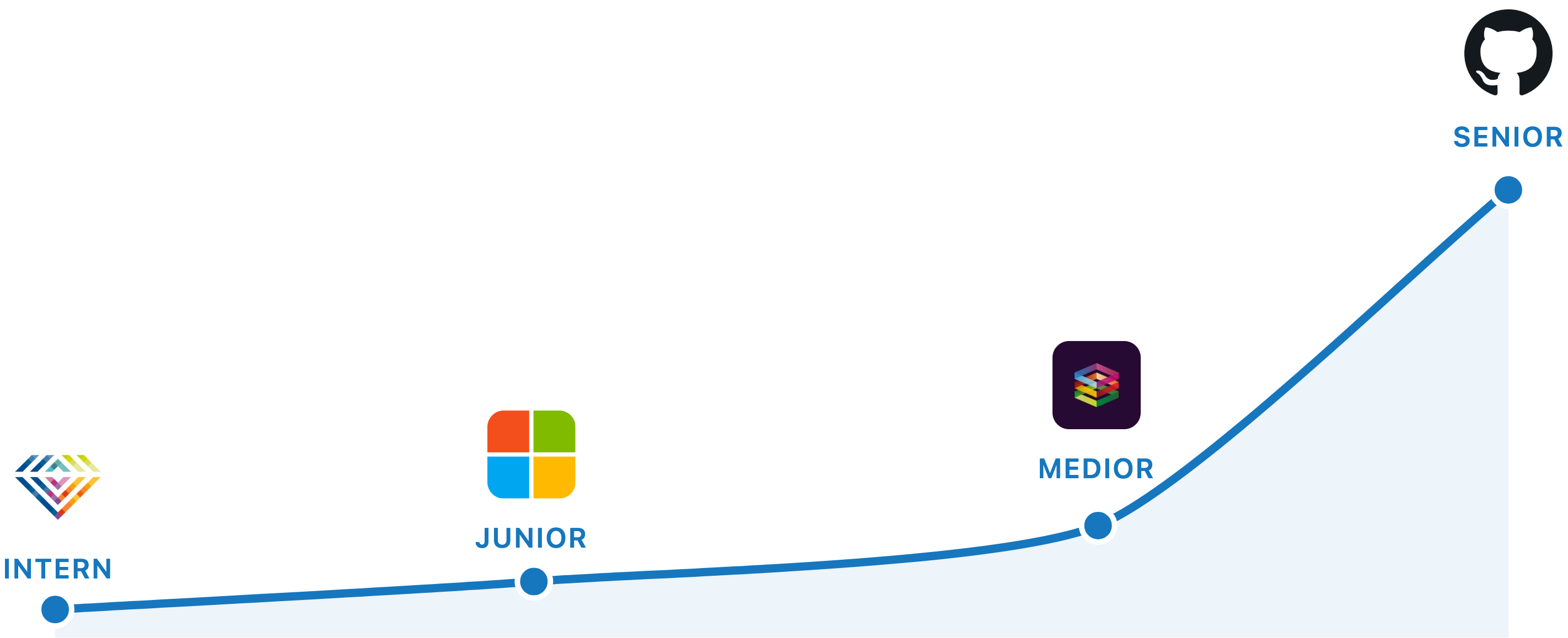
I've since worked remotely for international software companies throughout my career. Proof that the high-paid remote path is possible for anyone with the right skills and motivation. In the end, I went from a $500/month internship to 6 figures as a Senior AI Engineer at GitHub.
Now I teach over 22,000 engineers on YouTube. Becoming an AI-Native Engineer is a system I lived through and offer to you today.
Real Results

Vittor
AI Engineer
Landed his first AI Engineering role in 3 months
"The coaching played a huge part in my success. I focused on AI fundamentals, the certification path, and soft skills like professional writing. Having access to expert guidance gave me confidence during interviews and helped me feel I was on the right path.
I built my own platform (simple but functional) and deployed it on AWS. I used it in my portfolio and showcased it during interviews. The way complex topics were explained, especially the restaurant analogy for AI systems, really stuck with me. Focusing on doing the basics well was absolutely essential."
What You Will Get
Personalized Roadmap & Career Strategy
A custom plan tailored to your background, goals, and timeline. No generic advice.
Weekly 1:1 Coaching Calls
Direct access to Zen for guidance, project feedback, and answers to your questions.
Portfolio-Ready AI Projects
Build production-grade AI applications to showcase to employers. Work that gets you hired.
Interview Prep & Mock Interviews
Practice technical and behavioral interviews. Learn what hiring managers look for.
Resume & LinkedIn Optimization
Transform your online presence to attract recruiters. Stand out from other applicants.
Community Career Support
Join the AI Native Engineer community. Not seeing results yet? You stay and keep going. We're with you through the ups and downs.
Technical Screens Filter Most Candidates. Prepare Accordingly.
Every month you delay can cost you thousands in lost earning potential. While you're watching tutorials, others are landing $120K+ AI Engineering roles.
I can only work with a limited number of 1:1 clients at a time to ensure you get the personalized attention you deserve.
Frequently Asked Questions
What should I expect in an AI technical screen?
Typical AI technical screens include: (1) A coding problem—usually Python, often involving APIs or data processing, (2) AI concept questions—explain RAG, embeddings, or prompt engineering, (3) Discussion of your projects—be ready to go deep on technical details. Some companies include mini system design. The bar is lower than onsite—they're checking fundamentals, not advanced mastery.
What coding format do AI technical screens use?
Most use: (1) Shared editor (CoderPad, HackerRank) for live coding, (2) Your own IDE with screen share, (3) Whiteboard for system design discussions. For live coding: practice in the specific tool if possible, but any shared editor practice helps. Have your environment ready: Python installed, common libraries available, editor configured. Test your screen share before the interview.
What AI-specific questions appear in technical screens?
Common AI questions: Explain how RAG works and when you'd use it, What are embeddings and how are they generated?, Walk me through building an LLM-powered feature, How would you handle rate limits in production?, What's the difference between fine-tuning and prompting?, How do you evaluate LLM output quality? Prepare crisp 2-3 minute explanations for each.
What are common mistakes in AI technical screens?
Common failures: (1) Diving into code without clarifying requirements, (2) Silent coding—explain your thinking, (3) Perfect-is-enemy-of-good—get a working solution first, (4) Not testing your code with examples, (5) Ignoring edge cases until asked, (6) Defensive reactions to hints or corrections. Interviewers want to see how you think and collaborate, not just whether you get the answer.
How should I manage time in a technical screen?
For a 45-minute screen: 5 minutes for clarification and approach, 25-30 minutes for coding, 5-10 minutes for testing and optimization, 5 minutes for questions. Don't spend too long on the approach—start coding within 10 minutes. If stuck, communicate it: 'I'm considering two approaches...' Interviewers often give hints if you're on track but slow.
How much AI coding experience do I need to pass technical screens?
You should be comfortable: calling LLM APIs, processing JSON responses, basic text/data manipulation in Python, explaining AI concepts clearly. A few months of hands-on project experience is usually sufficient. Practice by building small projects and explaining your code to others. If you can build a simple RAG system and explain each component, you're ready.
How much time do I need to commit?
Most clients invest 10-15 hours per week, but this can be flexible based on your schedule. We'll have weekly 1:1 calls plus time for you to work on projects and learning. The key is consistency. Regular, focused effort beats occasional marathons.
What if I don't land interviews in 90 days?
You become a member of the AI Native Engineer community, and you stay and keep going. Career transitions take different amounts of time for everyone, and I'm not going to abandon you if things take longer. You get ongoing support through good times and bad.
How is this different from online courses?
Online courses give you content. 1:1 coaching gives you a personalized roadmap, direct feedback on your work, career strategy, interview prep, and accountability. You get answers to your specific questions and guidance tailored to your unique situation instead of generic advice meant for everyone.
What's the investment for 1:1 coaching?
Investment details are discussed during the 30-minute strategy call, where we'll assess your goals and create a custom plan. The program is designed to pay for itself quickly through your increased salary. Most AI engineers see a 20-50% pay increase.
Can I do this while working full-time?
Absolutely. Most of my clients work full-time and make steady progress. We'll schedule calls at times that work for you and create a realistic plan that fits your schedule. Consistency matters more than intensity.
Ready to Land Your AI Role?
Stop watching others succeed. Start building your AI career today.
30-minute strategy call • Limited spots available